*Stripe's standard processing fees still apply to member payments.
AI Assistant
Ask it anything.Have it make the poster.
Ask a question in plain English and get an answer from your live members, attendance, payments and schedule. Ask for a poster, a plan or a spreadsheet and it makes the file, ready to download. Ask how to grow, and it shows you options with the numbers behind them.
Who's due a stripe, which classes are half empty, how revenue moved last month, who hasn't trained for three weeks. It answers from your real records and links you to the right screen.
Ask AIExample
Which classes were under half full last month?
Jitsunami+ AI
Three classes averaged under half full last month:
Sunday 10:00 No-Gi: 6 of 20 places
Monday 07:00 Gi: 7 of 20 places
Thursday 12:30 Open Mat: 8 of 20 places
Your fullest was Wednesday 19:00 No-Gi at 18 of 20. Want some ideas to fill the quiet ones?
Open Schedule
Checked attendance · schedule
Ask about members, attendance, payments...
Illustration: an owner asks which classes were under half full last month, and the assistant lists three classes with their average attendance.
Illustration. Names and figures are made up; real answers and files come from your academy's own data.
Ask AIExample
Make a poster for Saturday's open mat, and a spreadsheet of members who haven't trained in 30 days.
Jitsunami+ AI
Here's your open mat poster, with your logo and the day, time and place from your schedule. I checked the wording after it was drawn. Your spreadsheet lists the 12 members who haven't trained in 30 days, with their email and last class.
Saturday Open Mat
Poster · Portrait poster, prints on A4 or Letter
We spotted a wording mistake and fixed it automatically.
Download imagePrint PDF (A4)
Members not trained in 30 days
Spreadsheet · 12 rows
Contains personal data
Download Excel
Open Created files
Checked attendance · members
Ask about members, attendance, payments...
Illustration: an owner asks for an open mat poster and a spreadsheet of members who haven't trained in 30 days, and gets a poster with image and A4 print downloads and an Excel file marked as containing personal data.
Illustration. Names and figures are made up; real answers and files come from your academy's own data.
Ask AIExample
Help me grow our kids classes this term.
Jitsunami+ AI
I looked at kids attendance, class fill and sign-ups over the last 90 days. Three options:
Add a Saturday 09:00 kids class. Your two weekday kids classes average 17 of 20 places, and 6 families are on waitlists.
Offer a free first class pack to new families, shared from your club page.
Run a sibling price with a promo code.
Recommendation: start with option 1, then add option 2 once the new class has room. Risk: Saturdays need a second coach. I've assumed the extra mat hour costs nothing; tell me the real figure and I'll build a budget.
Kids classes growth plan
Document · 2 pages
Download PDFDownload Word
Open Created files
Checked attendance · schedule · members
Ask about members, attendance, payments...
Illustration: an owner asks for help growing kids classes, and the assistant gives three options with figures, recommends one, names a risk and returns the plan as a document.
Illustration. Names and figures are made up; real answers and files come from your academy's own data.
Your data and the AI Assistant
Owners and admins only
Only you and your admins can ask it about members, money and attendance. Coaches and front desk get a how-to helper that never sees your club's data.
Private conversations
Each person sees only their own chats with it.
One academy at a time
It works inside the academy you're signed in to, with your own permissions.
It never changes your records
It doesn't edit members or take payments. The only thing it creates is new files you ask for.
Sensitive notes stay out
Medical notes and staff notes are never shared with it.
Every AI action is recorded in your audit log. Files that name members are deleted automatically after 30 days.
The AI Assistant plan includes 400 AI credits every month. Owners can top up any time: 250 credits for $4.99.
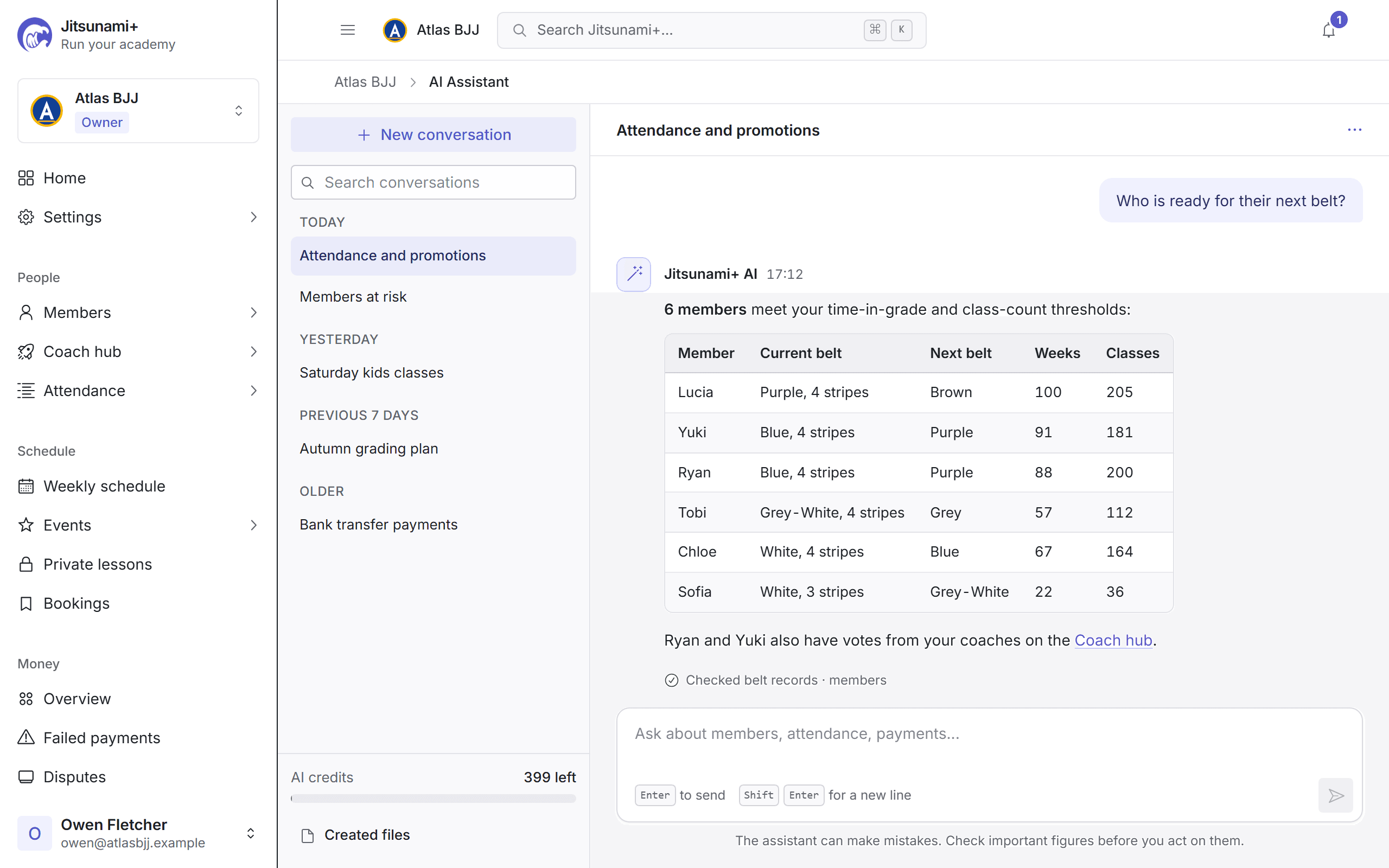
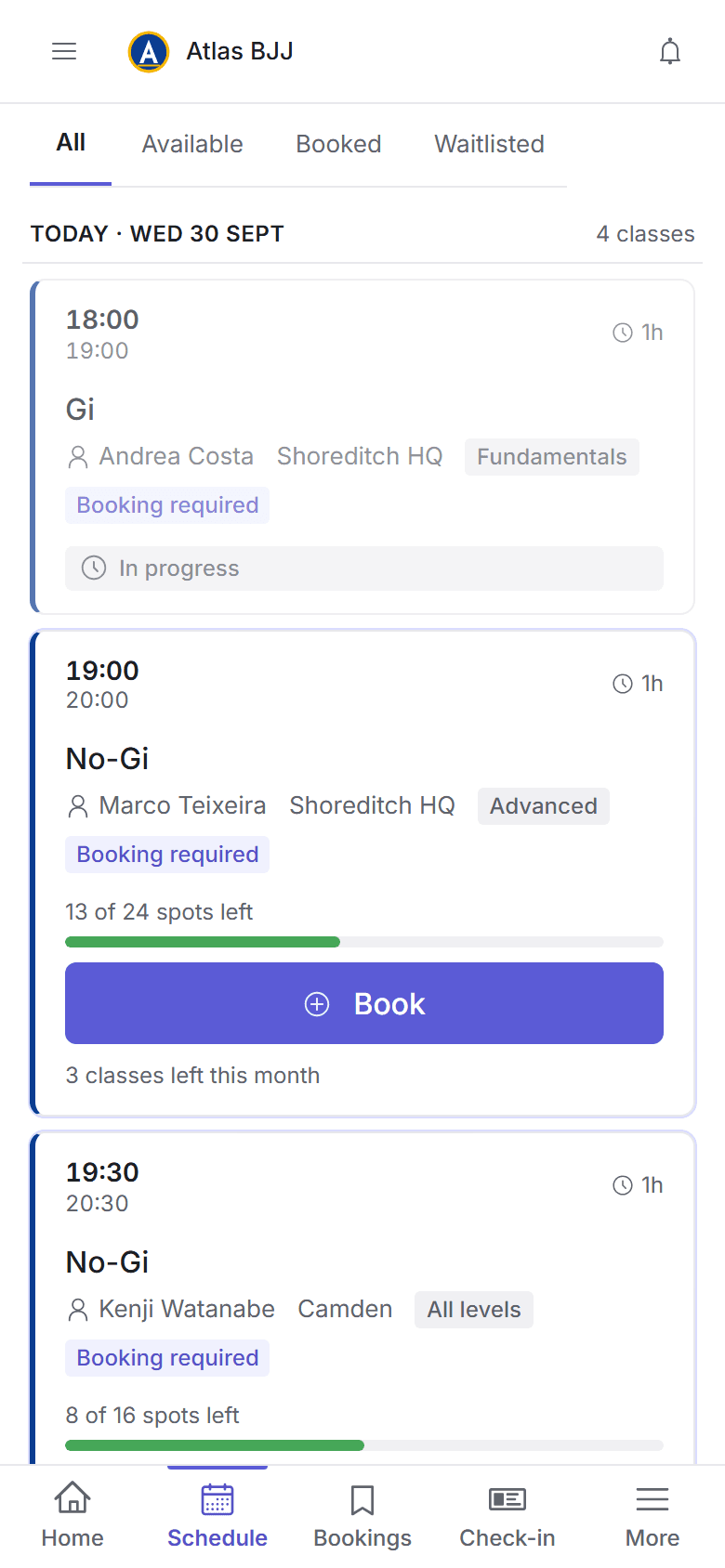
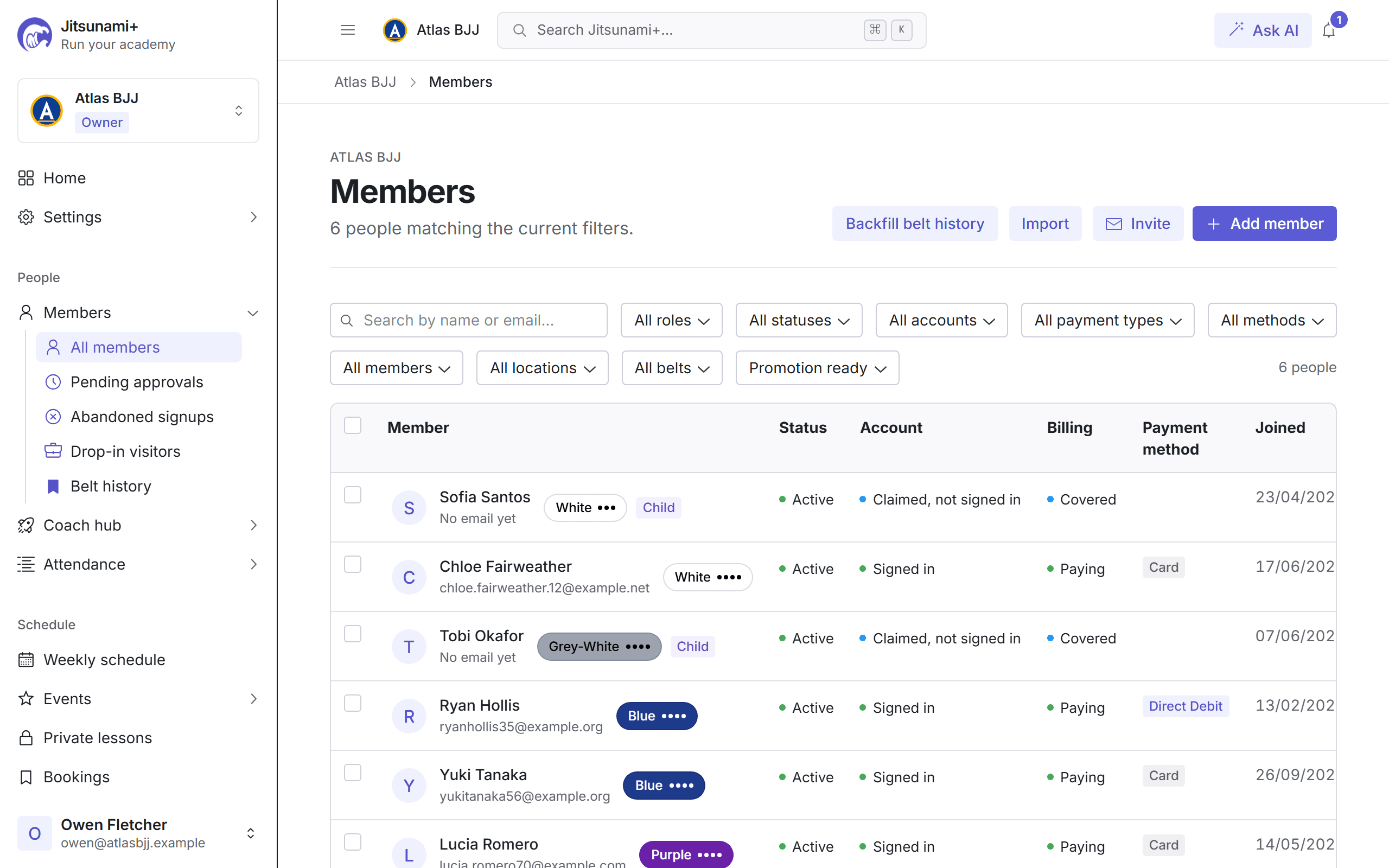
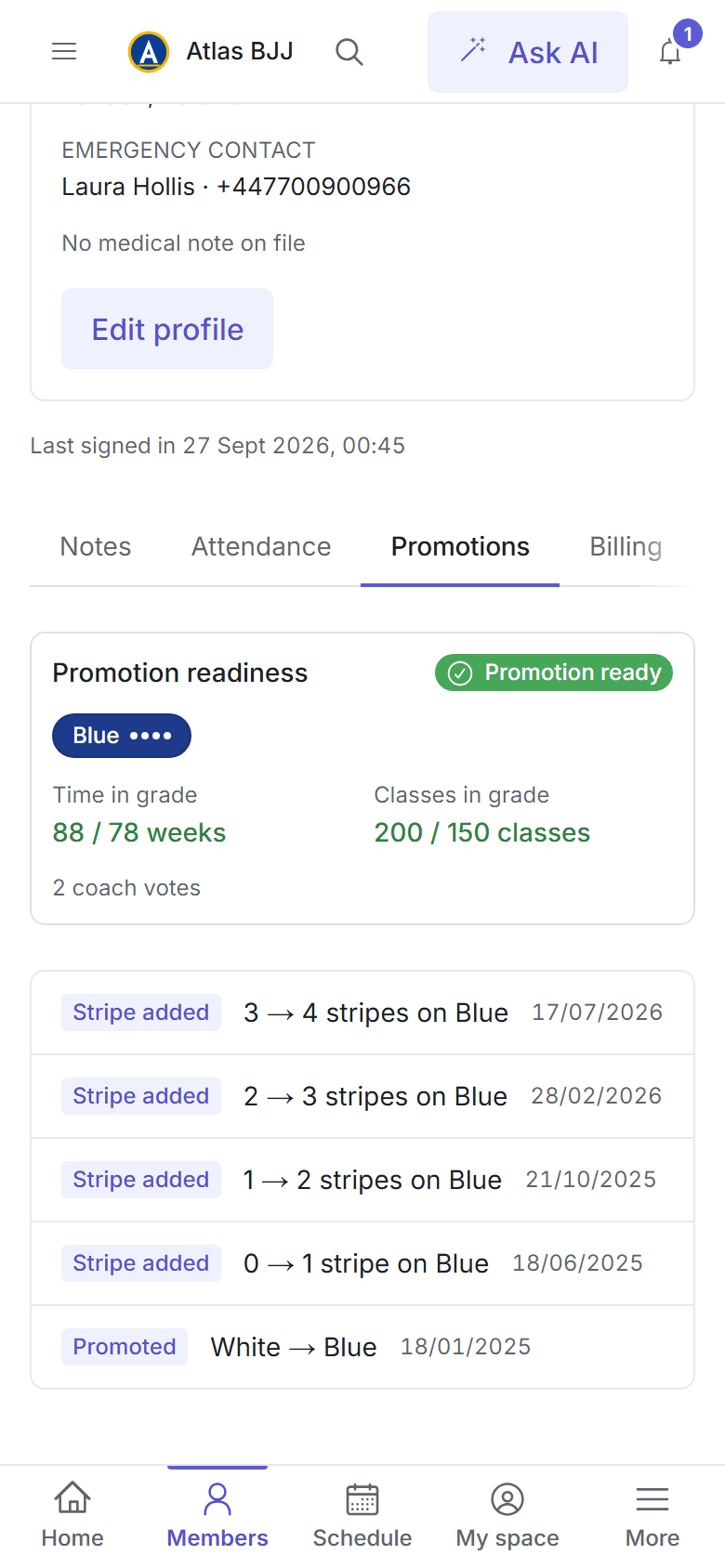
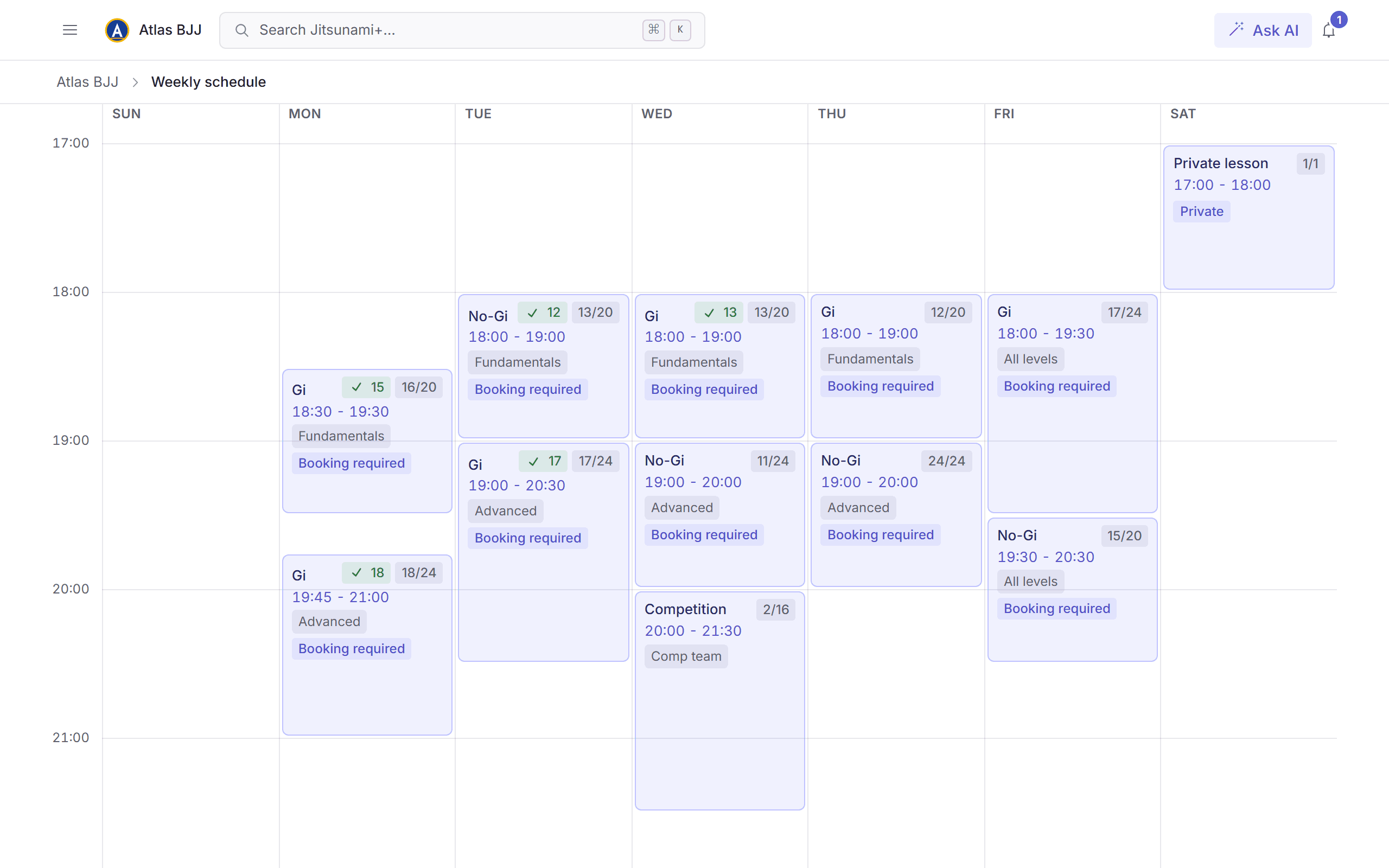
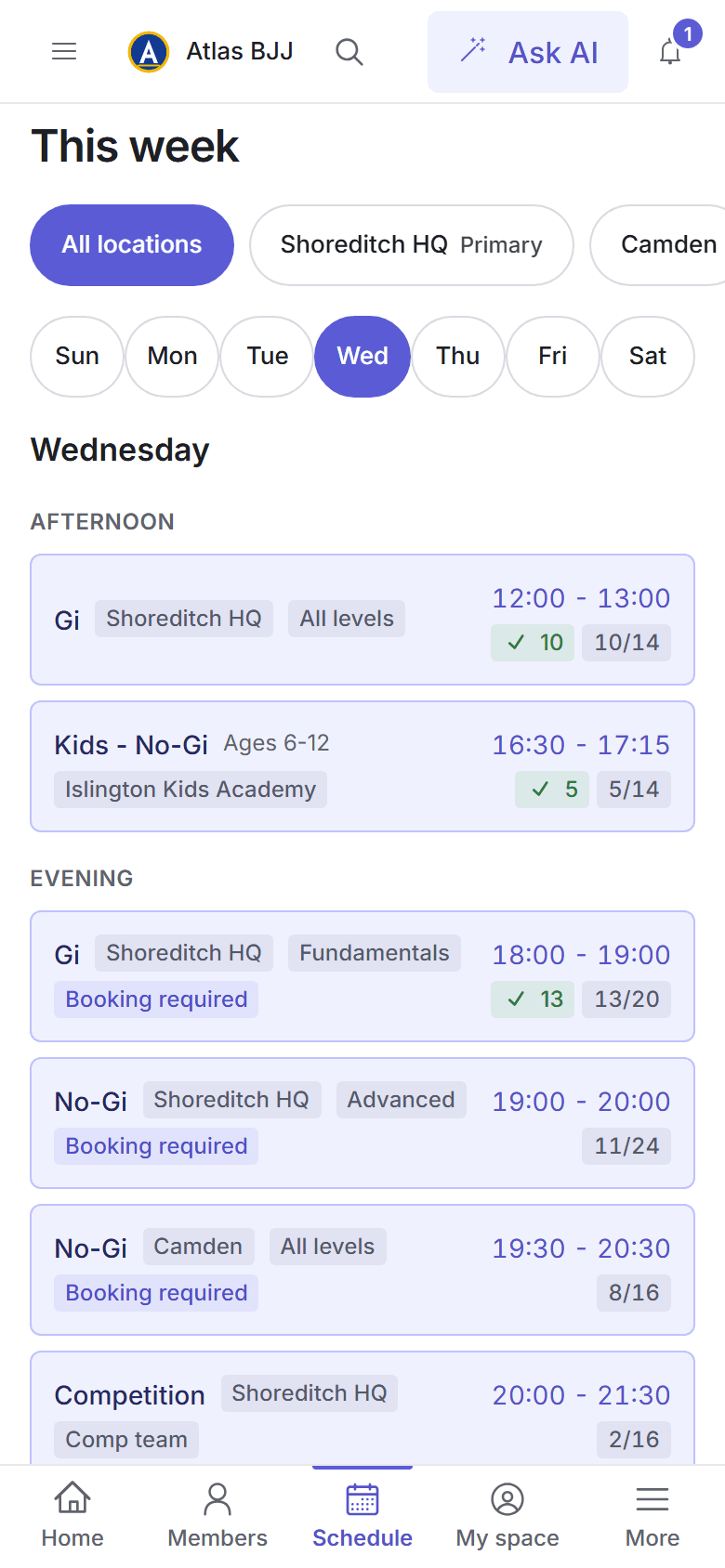
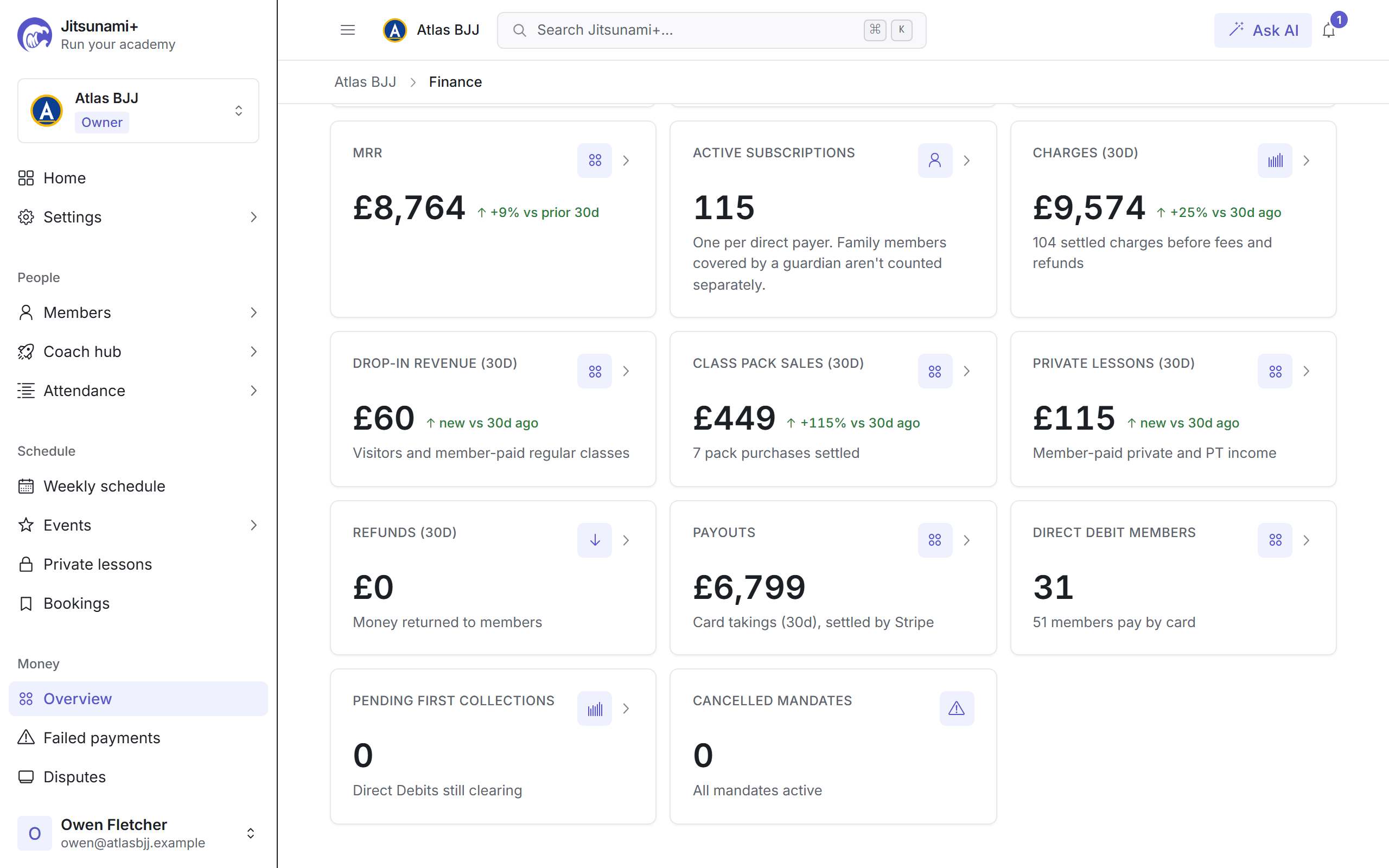
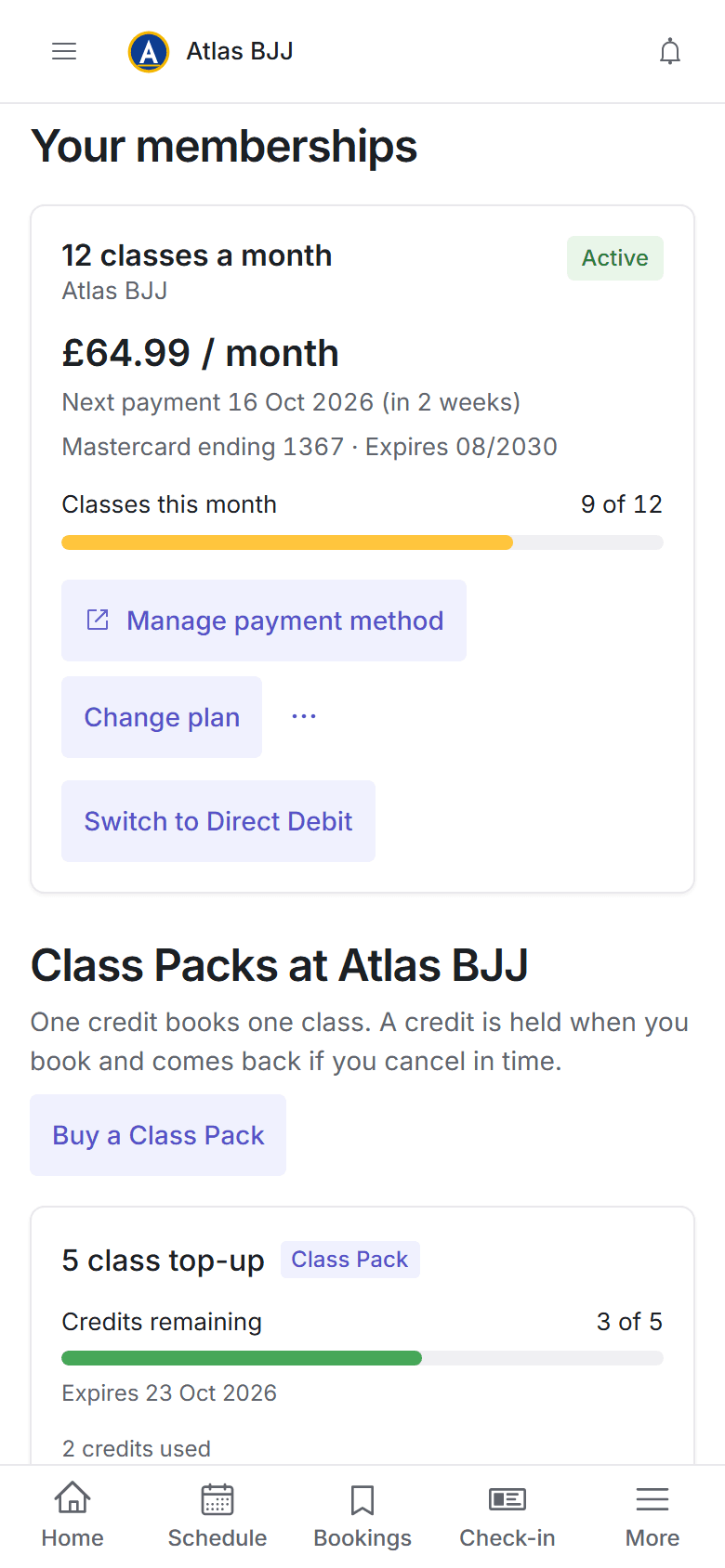
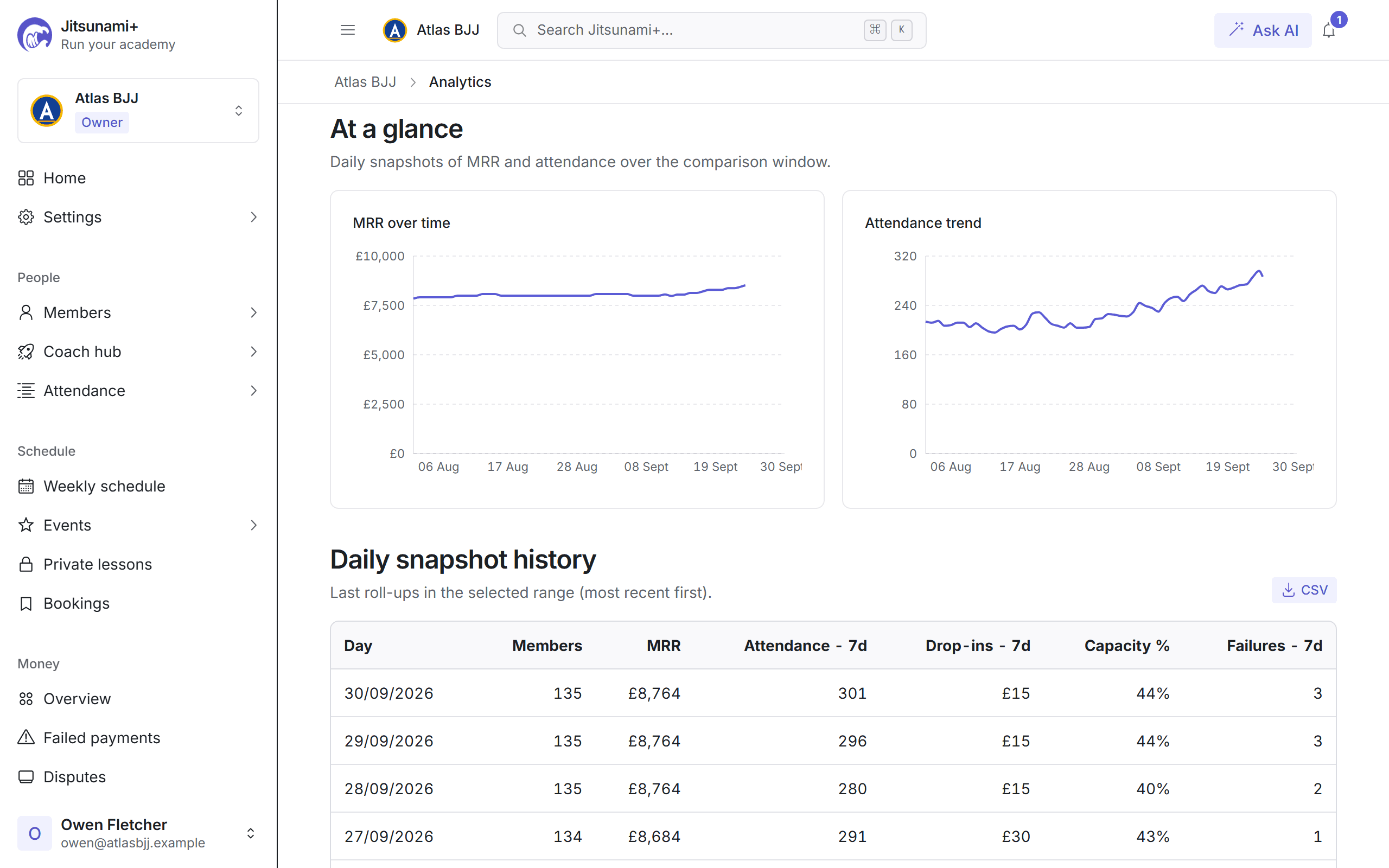
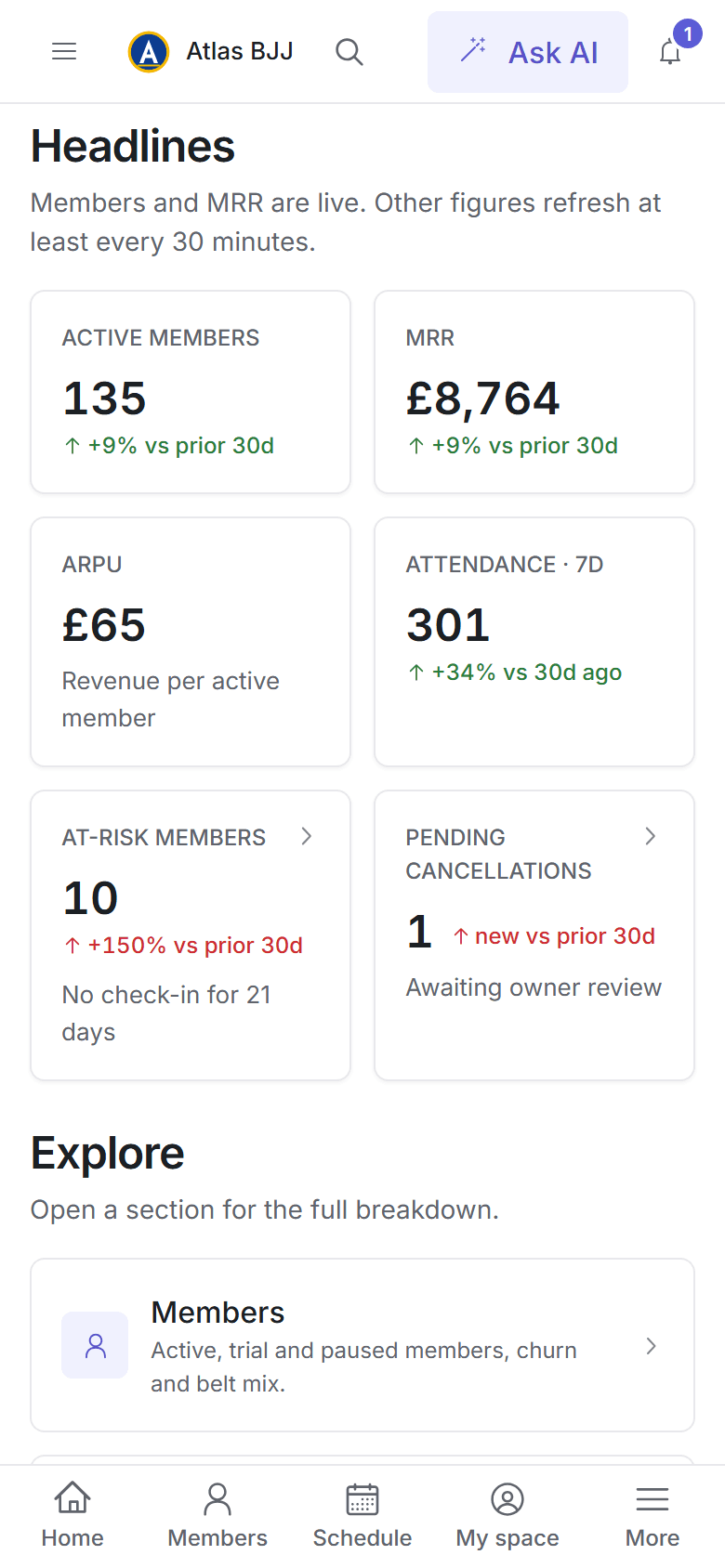
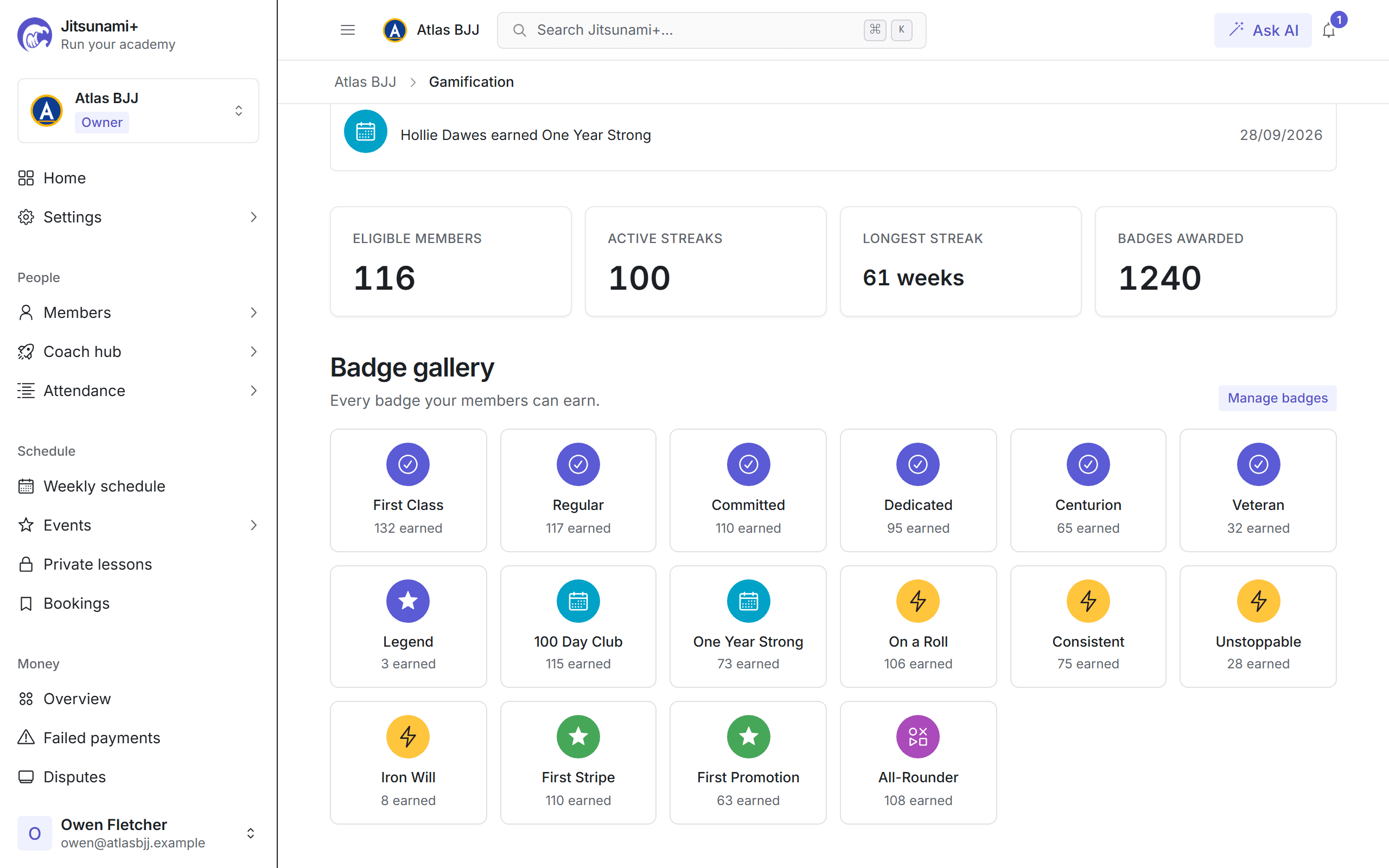
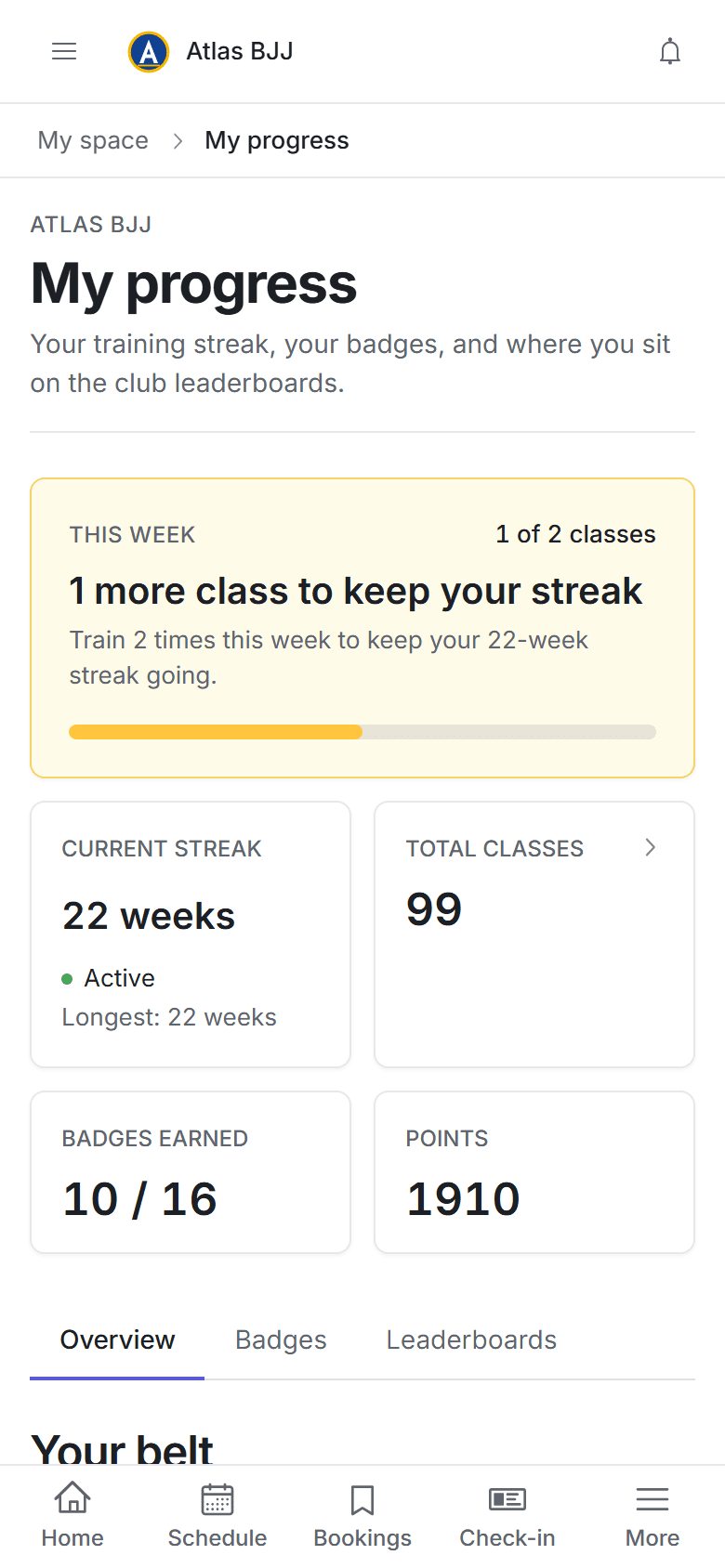
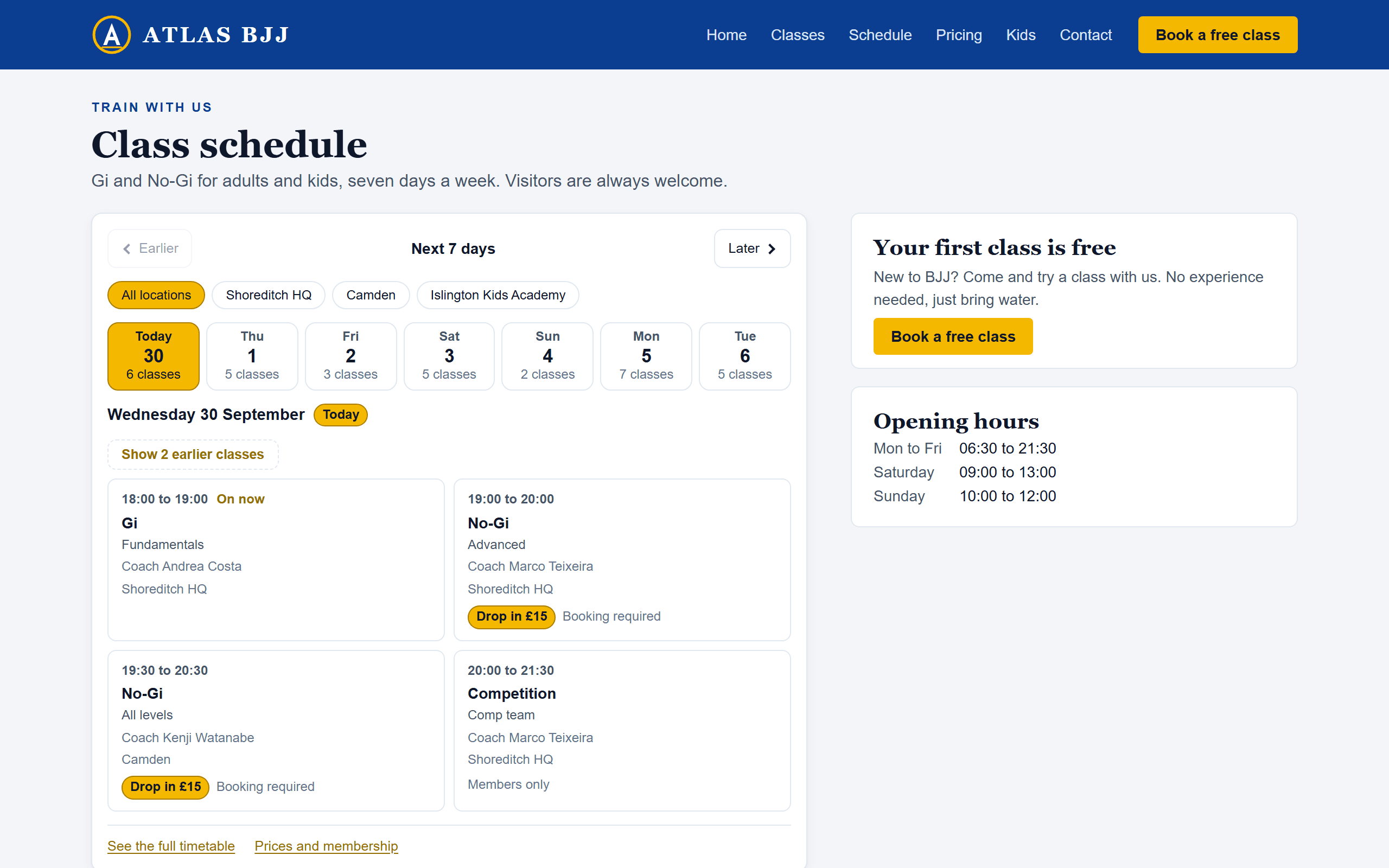
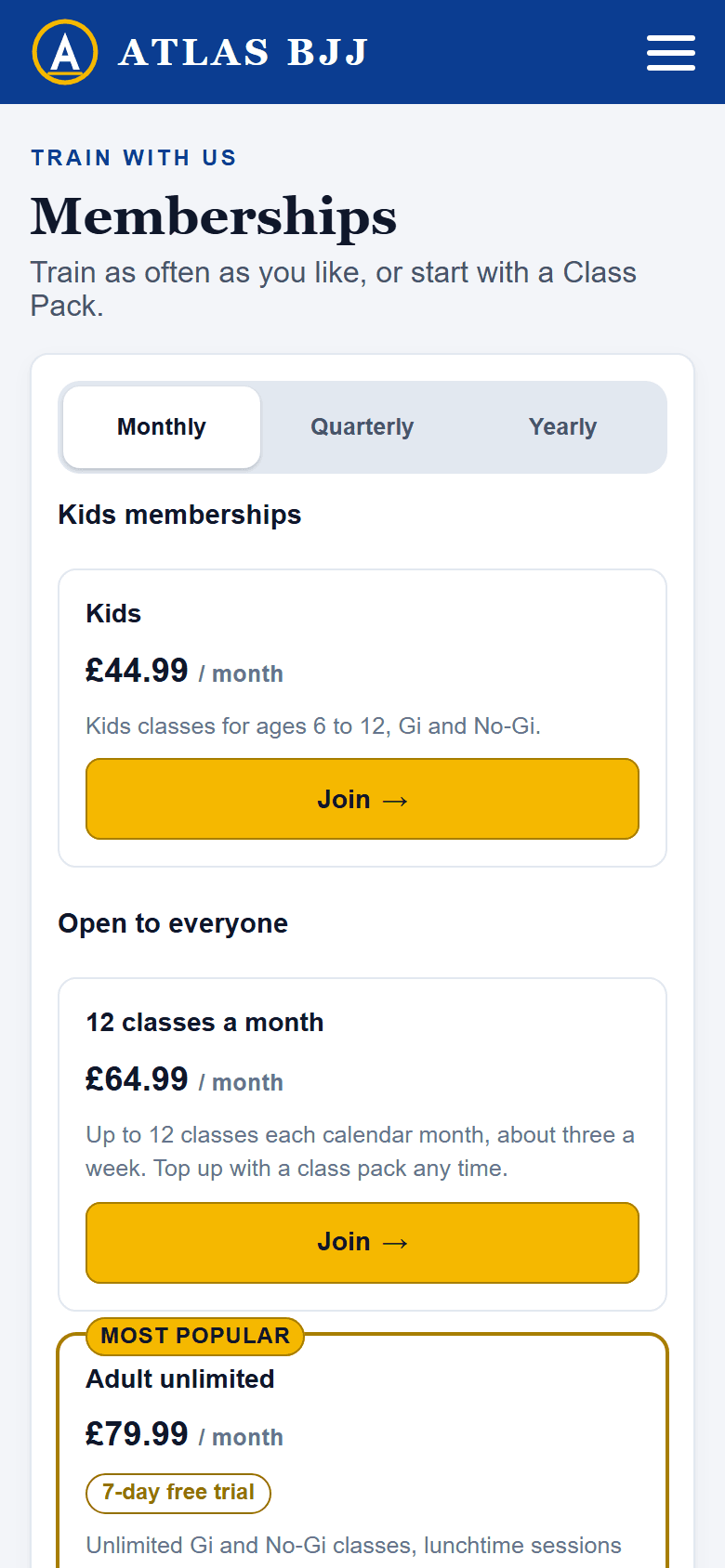
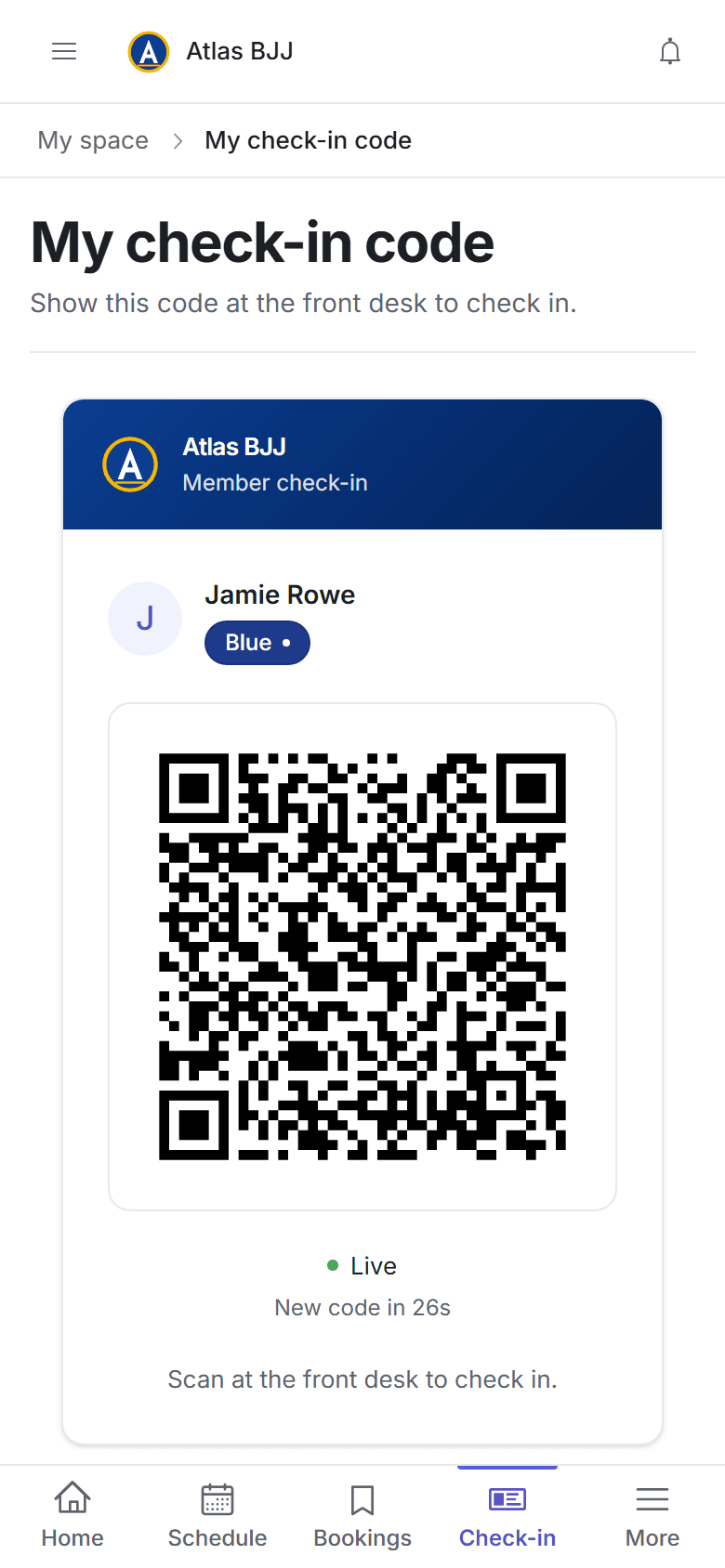
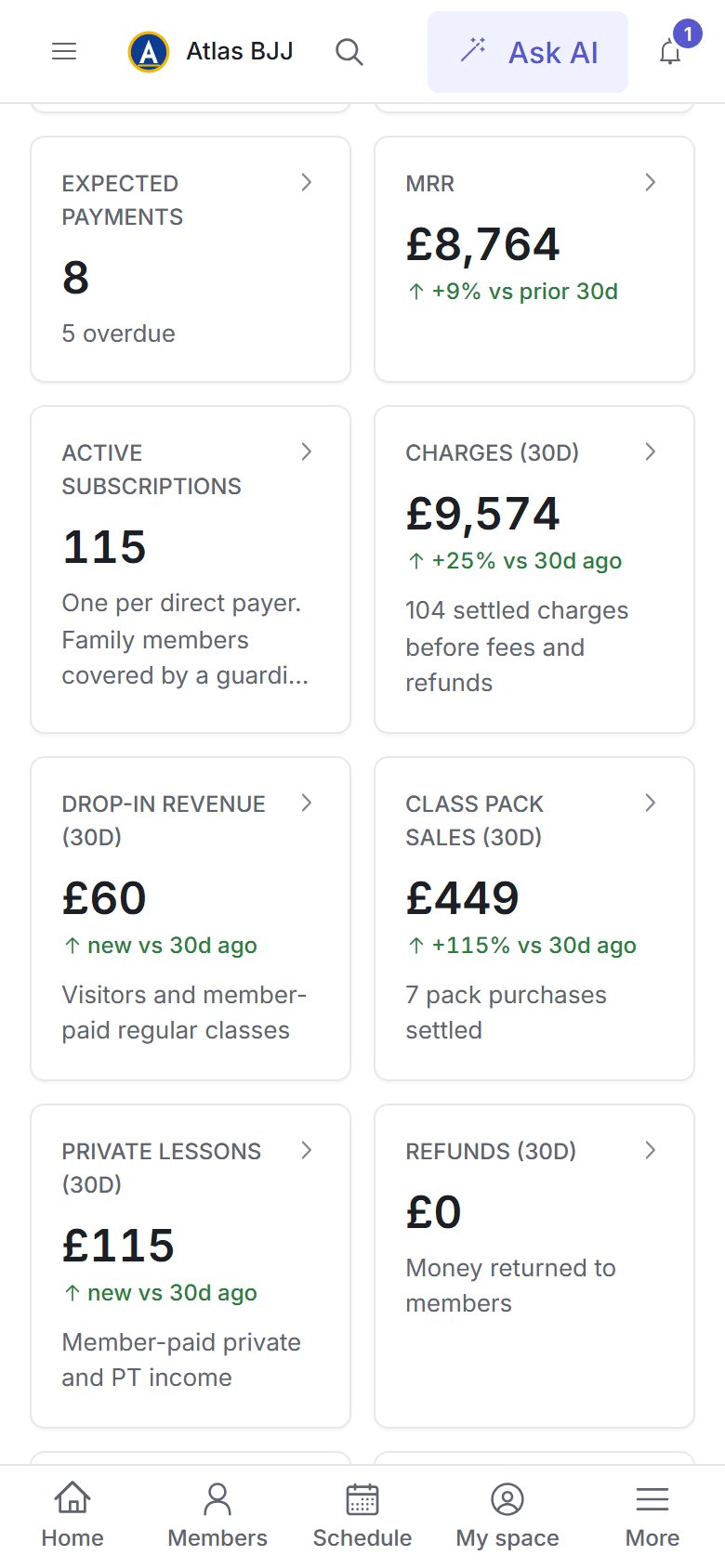
Real screens from Jitsunami+ with a demo BJJ academy's data, on a computer and on a phone.
One profile per member with belt, stripes, attendance, billing and family links. Promotion readiness counts time at belt and classes attended, so you see who's due a stripe before they ask.
app.jitsunami.com
app.jitsunami.com
app.jitsunami.com
app.jitsunami.com
app.jitsunami.com
More ways to get paid
Sell Class Packs, drop-ins and trials while you're on the mats.
Not everyone wants a monthly membership. Sell prepaid Class Packs, free trials, drop-ins, events and private lessons alongside your memberships, with card payments going into your own Stripe account and 0% transaction fees (Stripe's standard processing fees apply).
Class Packs
Prepaid bundles like 10 classes valid for 60 days, sold for a single price that never renews. Use them as pay-as-you-go on their own, or as a top-up on a membership.
Sell them on your club page, your website widget and a sign-up link that takes a complete stranger through account, waiver and payment
Members buy from their phone, parents buy for their kids, and staff can sell one at the desk for cash, a bank transfer or a card link, or give one away
Booking holds a credit, which comes back if the member cancels in time. If you call off a class, every credit returns automatically
Offer a free first class as a pack that each person can claim once
Limit a pack to certain classes or locations, so a No-Gi pack can't be spent on Gi
Reminders before a pack expires and when it's used up, each with a link to buy the next one
Class PackExample
10-class pack
Gi and No-Gi · all locations
Classes used7 of 10
3 left · expires in 6 days
Bought through your sign-up link
Booked Tuesday 19:00 Gi, 1 credit held
Reminder sent: 6 days left, buy the next pack
Prefer a monthly limit? Capped memberships set a number of classes per month on a recurring plan.
Finance shows Class Pack sales separately from your recurring revenue, and a full refund in Stripe removes the unused credits for you.
Free trials that book a real place
A free taster books a real place in class, with a link to cancel. Limit free classes per visitor and send a follow-up email after they train.
Drop-ins
Visitors pay online or pay you directly, sign your waiver and walk in, and their attendance is recorded for you. New faces scanning your door QR code are offered your drop-in page.
Events, seminars and gradings
Each gets its own booking page with member and visitor prices, a capacity limit and a waitlist. Call one off and everyone who paid by card is refunded automatically.
Private lessons
One-to-one or small-group sessions, paid or free, seen only by the people in them, the coach and your staff.
Your own sign-up machine, under your name.
Every academy gets a branded page at app.jitsunami.com/c/your-academy with your schedule, prices and adult and kids sign-up. Print a QR code for your door, and let Jitsunami+ email people who started signing up but didn't finish. Students sign up with you, not with us.
Branded club page
Website widgets
Class Pack sign-up links
Door QR code
Sign-up recovery emails
Ready-made social caption
On your own website
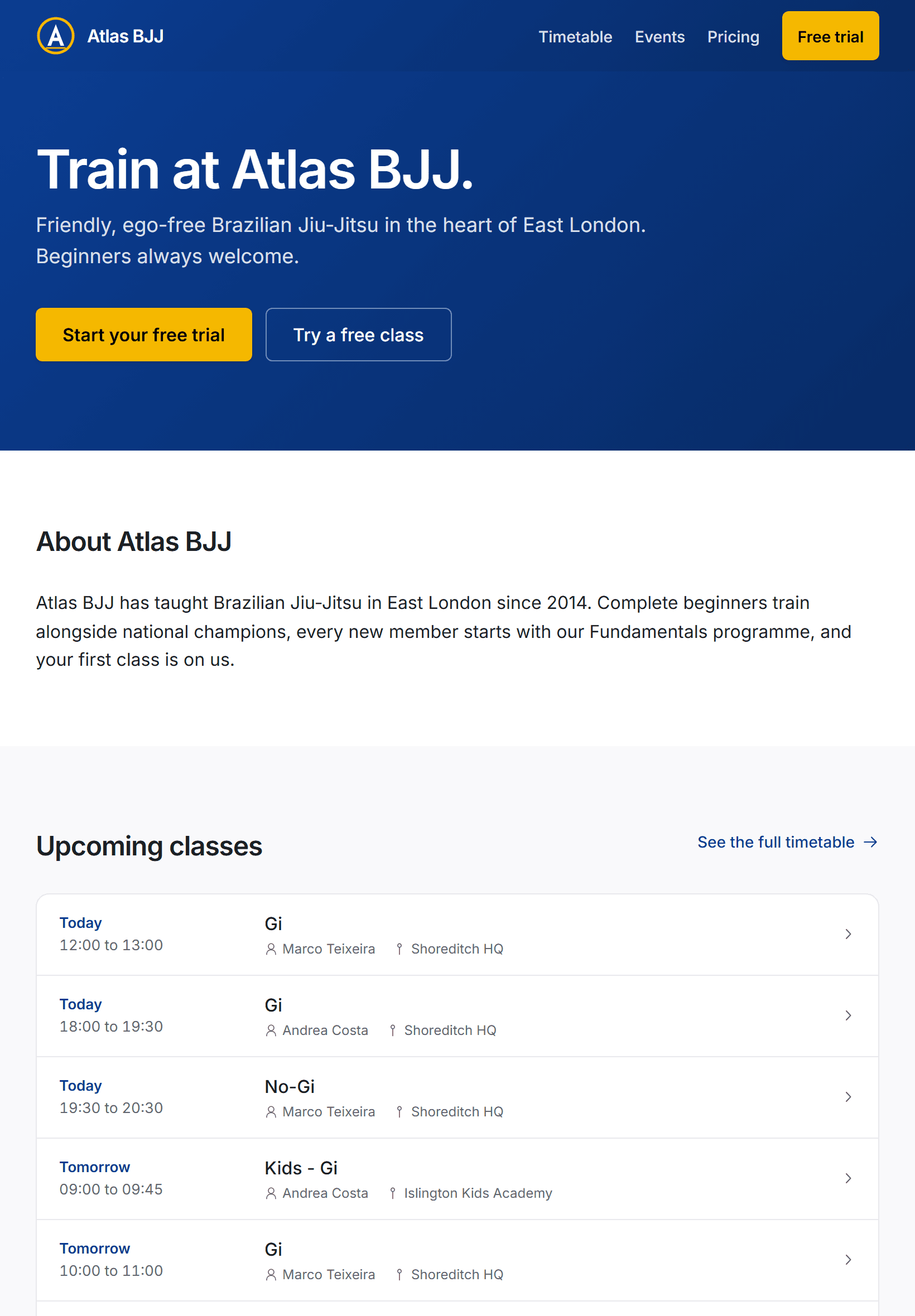
Already have a website?Put your schedule on it.
Copy two lines from Jitsunami+ into your website and your live schedule, prices and Class Packs appear there in your brand. New students click through to join, buy a Class Pack or book a drop-in, with the waiver and payment handled for you.
Your website
Example: the schedule and pricing widgets on an academy's own website.
1
Pick a widget
Your schedule, your memberships and Class Packs, or a featured event, with a live preview in Settings.
2
Copy and paste
Paste two lines into a custom HTML or embed block on any page of your website. No developer needed.
3
It keeps itself up to date
Change a class, cancel a session or add a plan in Jitsunami+ and your website follows within minutes.
The two lines an academy pastes into its website to show its pricing.
Light, dark or automatic
Your brand accent
Uses your website's font
Filter by location
Choose which sites can show it
Phone, tablet and computer
Nothing to download.Nothing to install.
Jitsunami+ runs in the browser your members already have. Add it to the home screen and it opens full screen, like an app. There's nothing to get from an app store, and everyone is always on the latest version.
New studentsFind your schedule, prices and sign-up on your club page.
Your membersBook, pay and check in from their phone.
YouMembers, schedule and money in your pocket.
Members on their phones
Book, cancel and join waitlists, check in with a personal QR code, pay, change plan, buy Class Packs, sign waivers and look after their kids.
You and your coaches, anywhere
Owners get Home, Members, Schedule and Finance tabs on their phone. Coaches get today's classes, one-tap attendance and a camera scanner for members' QR codes.
Any tablet becomes a kiosk
Lock a tablet or an old laptop to a PIN-protected tap-to-check-in screen. No special hardware and nothing to order.
A QR code by the door
Print one QR code. Members scan it with their camera to check in, and new faces are offered your drop-in page.
Built for BJJ
It already knows how a BJJ academy runs.
Jitsunami+ comes set up for Brazilian Jiu-Jitsu: the IBJJF adult belts through coral and red, black belt degrees one to six and a separate kids ladder, for Gi and No-Gi. Edit any belt, or anything else your academy does differently.
Promotion readiness
Set minimum weeks and classes for each belt and see who's ready, with a Promotion ready filter on your member list.
Coach votes
Coaches mark members as ready from their coach hub, and you see every vote before you promote.
Grading days
Mark an event as a grading, get a shortlist of who's ready and promote the whole group in one go.
Belt history
Import past promotions so time at belt is right from day one. Members follow their own progress and belt timeline.
Everything else, included
Families
One parent login for the whole family. Kids can be on their own plan, covered by a parent's or free, and you choose the age, 13 to 18, when they get their own login.
Waivers
Liability waiver, code of conduct and club terms, with starter templates. Publish a new version and members sign it at their next login.
Multiple locations
As many locations as you need, with their own time zones, schedules and mats, and analytics you can filter by location.
Messages and reminders
Email, in-app notifications, news posts and scheduled announcements, a morning class reminder, and automatic notices when a class changes.
Keep them training
Streaks, custom badges, points and leaderboards with privacy options, plus an optional digest of members who haven't trained in 21 days.
Memberships your way
Monthly, quarterly or yearly billing, free trials, promo codes, custom prices, pauses and plan changes members make themselves.
Analytics
Revenue, churn, attendance and class performance, with trends over a window you choose and CSV export.
Help when you need it
A how-to assistant for every staff member, and in-app support tickets with screenshots. AI plan academies go to the front of the queue.
Pricing
One flat price.0% transaction fees.
Unlimited members, locations and coaches. Set up in an afternoon, with no setup fee and no contract, and cancel any time.
Base
$29.99per academy / month, billed in USD
Everything you need to run a BJJ academy. Unlimited members and locations, and 0% transaction fees.
Card details required to start. No charge for 30 days, cancel any time.
Everything in Base
Ask about members, attendance, money and belts in plain English
Posters, social posts, stories and banners with your logo and real class details
PDF and Word documents, and Excel spreadsheets from your live data
Business planning with options, the figures behind them and a recommendation
400 AI credits every month
Top up any time: 250 credits for $4.99
Never changes your records or takes payments, and every AI action is logged
Priority support
+ 3 more includedShow less
Top up any time: 250 credits for $4.99
Never changes your records or takes payments, and every AI action is logged
Priority support
The AI Assistant plan replaces Base, so you only ever pay one price. 0% transaction fees: member payments go straight into your academy's own Stripe account, and only Stripe's standard processing fees apply. No setup fees, no per-seat charges.
Set up in an afternoon
Import members and belt history
Payments by Stripe
Card details never touch our servers
GDPR export and erasure
Backed up nightly
Audit log of every admin action
Cancel any time
FAQ
Questions, answered.
Getting started
What is Jitsunami+?
Jitsunami+ is BJJ gym management software for Brazilian Jiu-Jitsu academies, Gi and No-Gi, kids and adults. It runs your members, classes and bookings, belts and promotions, waivers, billing and sign-ups in one place, in the web browser on any phone, tablet or computer, with 0% transaction fees on your members' payments (Stripe's standard processing fees still apply).
Do my members need to download an app?
No. Jitsunami+ runs in the web browser on any phone, tablet or computer, so there is nothing to find in an app store and nothing to update: everyone is always on the latest version. Members can add it to their home screen, where it opens full screen like an app. From their phone they book and cancel classes, check in with a QR code, pay, buy Class Packs, sign waivers and look after their kids' accounts. Your staff get the full dashboard on any device, and any tablet can become a check-in kiosk.
Can I show my schedule and prices on my own website?
Yes. In Settings, pick a schedule, pricing or featured event widget, check the live preview, then copy two lines and paste them into a custom HTML or embed block on your website. It shows your live classes, cancellations, events, membership prices and Class Packs in your brand, and follows any change you make in Jitsunami+ within minutes. Visitors click through to join, buy a Class Pack or book a drop-in or event, and you can choose which websites are allowed to show it.
How quickly can I get set up?
In an afternoon. Sign-up takes four short steps: your account, your plan, your academy and a card. The setup wizard then walks you through how you get paid, your plans and your schedule, then optional steps for your brand, locations, classes, belts and documents, with BJJ class types and IBJJF belts already filled in. Every step can be skipped and picked up later, and no automatic emails go to your members until you publish.
How do I switch from my current system?
Export your members, waivers and attendance from your old system as a spreadsheet and import them, belt history included, so time at belt and promotion readiness are right from day one. Every import runs as a dry run first, so you see exactly what will change, and members can train straight away while you set up billing. Moving Bacs Direct Debits from GoCardless? Stripe can move your members' mandates into your own Stripe account, which takes about six weeks, so they don't have to set up a new Direct Debit.
Is Jitsunami+ only for BJJ?
We're BJJ-focused. Every default, from the belt system and attendance targets to time at belt and kids and adults, is shaped by how a BJJ academy actually runs. But belts, class types and progression are fully editable per academy, so other belt-based arts like karate, judo, taekwondo and krav maga work too. We're not a generic all-things-fitness tool.
Do you support kids classes and guardian consent?
Yes. Parents manage their kids' accounts under a single login, sign waivers for them, book their classes and pay in one place. A child can be on their own plan, covered by a parent's membership, or free. You set the age, from 13 to 18, at which a child gets their own login, and there's a separate kids belt ladder with two-tone belts.
Can I run multiple locations under one academy?
Yes. One academy, as many locations as you need, each with its own schedule and time zone. Plans can cover chosen locations, members can be tagged to a home location, and reporting works academy-wide or per location.
Payments and Class Packs
Do you charge transaction fees?
No. Jitsunami+ charges 0% transaction fees on every payment your members make: memberships, Class Packs, drop-ins, events and private lessons. Card payments go straight into your academy's own Stripe account. Stripe charges its standard processing fee on each payment, as it would on any platform, and pays the rest out to your bank. We never hold your members' money. You pay one flat monthly price per academy, $29.99.
Which payment methods can my members use?
Card everywhere, Bacs Direct Debit for UK academies, ACH for US academies and SEPA Direct Debit for eurozone academies, all through your academy's own Stripe account with 0% transaction fees (Stripe's standard processing fees apply). Memberships can be monthly, quarterly or yearly, with promo codes, free trials and pauses. Prefer to skip cards? Run memberships on bank transfer with sign-ups you approve. Failed payments are chased for you automatically, and Jitsunami+ never holds member money.
What are Class Packs?
Prepaid bundles of classes, like 10 classes to use within 60 days, sold for a single price that never renews. Use them for people who don't want a monthly membership, or as a top-up for members who do. You set the price, the number of classes, how long they last and which classes and locations they cover. Booking holds a credit, which comes back if the member cancels in time. If you call off a class, every credit goes back automatically. Members get reminders before a pack expires or runs out, with a link to buy the next one. Sell them on your pricing page and website widget, through a sign-up link that works for complete strangers, or at the desk for cash, a bank transfer or a card link. Prefer a monthly limit? Capped memberships set a number of classes per month on a recurring plan.
Do you handle free trials, drop-ins and events?
Yes. Visitors book a free trial class or pay for a drop-in online, sign your waiver on their phone and walk in. You can limit free classes per visitor and send a follow-up email after they train. Seminars, gradings, open mats and camps each get their own booking page with member and visitor prices, a capacity limit and a waitlist, and if you call one off, everyone who paid by card is refunded automatically. Private lessons can be one-to-one or small groups, paid or free.
AI Assistant
What can the AI Assistant do?
On the AI Assistant plan ($39.99/mo), owners and admins ask about their live members, attendance, payments and schedule in plain English and get answers in seconds, have it make posters, social images, PDF and Word documents and Excel spreadsheets, and get help planning, with options, the figures behind them and a recommendation. Coaches and front desk staff get a how-to helper on every plan, which answers questions about using Jitsunami+ and never sees your club's data. The AI Assistant plan replaces Base rather than adding to it.
Can the AI make posters for my classes and events?
Yes, on the AI Assistant plan. Ask for a poster for a class or event and the date, time and place come straight from your schedule, with your logo added once you have uploaded one. Portrait posters download as an A4 or US Letter print PDF, and it also makes square posts, stories, landscape images and web banners. After each poster is drawn the wording is read back and checked: a mistake is corrected once automatically, and anything still wrong is listed for you to check before you print. Member photos are never used, and the assistant tells you roughly how many credits a poster will use before it starts.
Is my data safe with the AI?
The assistant never changes your records or takes payments; the only thing it creates is new files you ask for. It works inside the one academy you are signed in to, with your own permissions, and every AI action is logged. Anything your members have typed is treated as information, never as instructions. Files that name members are deleted automatically after 30 days, and everything else after 12 months.
What are AI credits?
The AI Assistant plan includes 400 AI credits every month. Every question uses some and making a file uses more. The assistant tells you roughly what a poster will use before it starts. A file that fails is never charged. Your monthly credits come back on the 1st of each month and don't roll over, owners are warned at 80% and 100%, and the owner can see what is left at any time. If you run out, the owner can top up any time: 250 credits for $4.99, charged to the card on your subscription. Bought credits never expire.
Your data and your account
How is my academy's data protected?
Payments are handled end to end by Stripe, so card details never touch our servers. You can export your members to CSV at any time, handle GDPR export and erasure requests, and see an audit log of every admin, finance and AI action. Everything is backed up every night.
Can I cancel anytime?
Yes. No annual contract, no early-termination fee. Your member data is exportable in CSV at any time, and we support GDPR right-to-erasure as a one-click request. If you close your academy, we keep its data for two years so you can come back exactly as you were or download what you need, and we email you two weeks before it is deleted for good. Your members keep their own Jitsunami+ accounts either way.
Do I need a card to start the trial?
Yes. We take card details when you create your academy so nothing interrupts your members when the trial ends. You are not charged for the first 30 days, and you can cancel in two clicks from your dashboard. Cancel inside the trial and you are never charged at all.